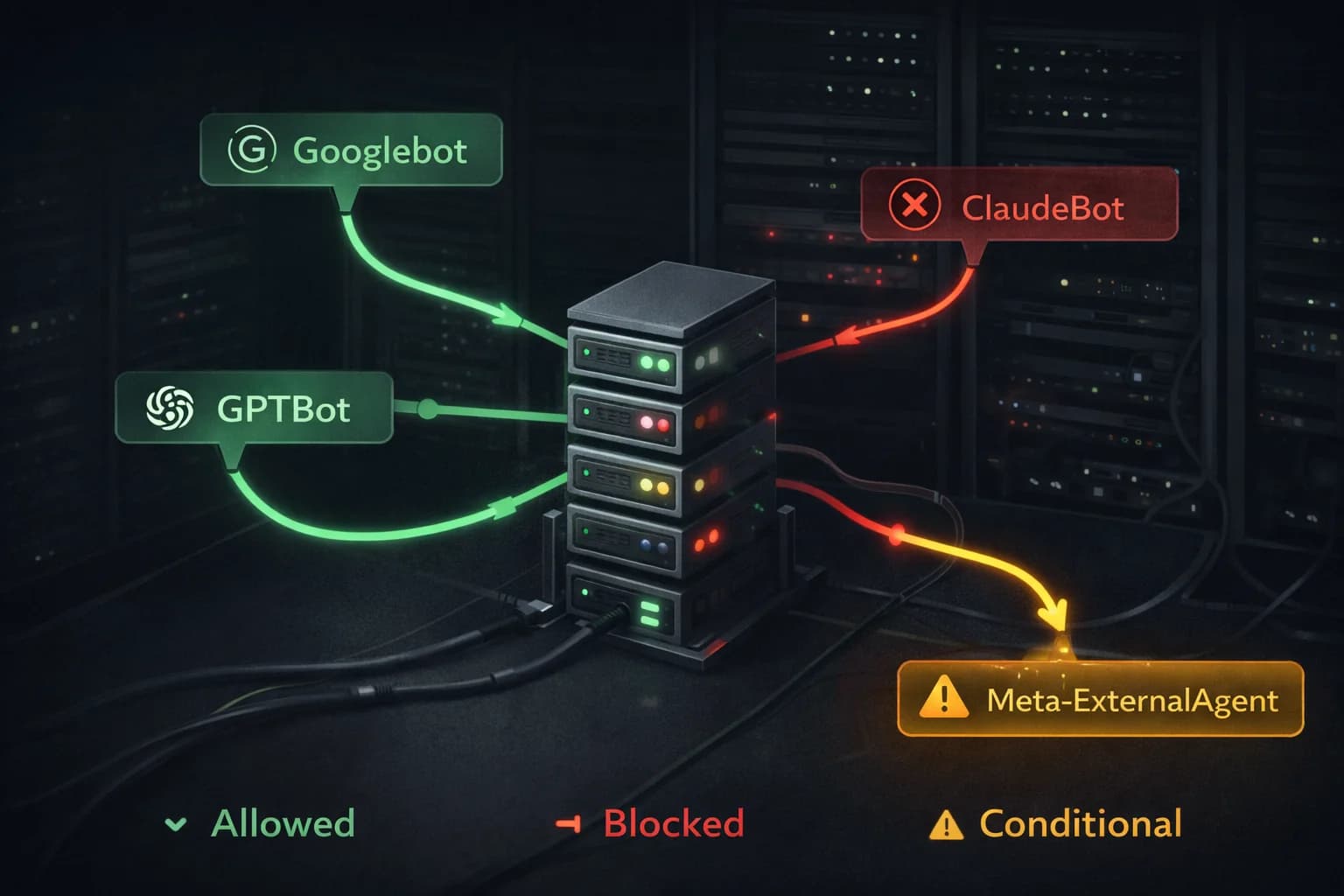
Technical SEO and AI Crawlers in 2026: How to Optimize Your Site for the New Bots
Most SEO conversations in 2026 center on content and AI citations. Not enough of them start with the unglamorous question that determines whether any of that work matters: can the right crawlers actually reach your site?
This is the technical layer. It is not optional. A single misconfigured robots.txt rule, a firewall that misidentifies GPTBot as malicious traffic, or a sitemap that stopped updating six months ago will quietly neutralize everything else you are doing.
This guide covers how modern crawlers work, how to verify your site is accessible to the right ones, how to selectively manage the ones you do not want, and the structural choices that make your content easier for both search engines and AI systems to process.
If you want the strategic picture before going deep on the technical setup, start with The SEO Roadmap for 2026, which covers content strategy, topical authority, and how AI citation works alongside traditional rankings.
Complete List of SEO Crawlers in 2026
Not all crawlers are created equal, and knowing who is visiting your site is the first step to managing them intelligently. Here is every crawler worth knowing in 2026, what it does, and who operates it.
| Bot | Company | Purpose |
|---|---|---|
| Googlebot | Search indexing and AI Overviews | |
| Bingbot | Microsoft | Search indexing and Copilot answers |
| Applebot | Apple | Siri and Spotlight search |
| DuckDuckBot | DuckDuckGo | Privacy-focused search indexing |
| GPTBot | OpenAI | ChatGPT and GPT model training |
| ClaudeBot | Anthropic | Claude model training |
| Meta-ExternalAgent | Meta | Meta AI model training |
| ChatGPT-User | OpenAI | Real-time browsing for live ChatGPT queries |
| PerplexityBot | Perplexity | Real-time AI search answers |
| Amazonbot | Amazon | Amazon AI and Alexa model training |
| Google-Extended | Gemini AI training (separate from search indexing) | |
| CCBot | Common Crawl | Open AI training dataset used by many LLMs |
| Bytespider | ByteDance | TikTok and Douyin AI training |
| YandexBot | Yandex | Russian search indexing |
| Baiduspider | Baidu | Chinese search indexing |
| FacebookExternalHit | Meta | Link preview fetching on Facebook and Instagram |
| Twitterbot | X (Twitter) | Link card preview fetching |
| LinkedInBot | Link preview and content indexing |
The distinction between training bots and user-triggered bots matters for your strategy. A GPTBot visit consumes your bandwidth to train a model with no direct traffic benefit. A ChatGPT-User visit happens because a real person asked a question and ChatGPT is fetching your page as a live source, which can drive an attributed visit to your site.
Three Types of Crawlers, Three Different Relationships
The biggest mistake site owners make is treating all bots the same. They are not. In 2026, you have three fundamentally different categories of crawler visiting your site, and your goals with each one are different.
Search Indexing Bots
These are the bots you have always managed. Googlebot, Bingbot, Applebot, Baiduspider. Their job is to crawl your pages, understand your content, and add it to a search index that users query when they search.
The relationship here is straightforward: you want these bots on your site. They are the pipeline between your content and organic search traffic. Blocking them is equivalent to pulling your listing from the phone book.
What is new is that these same bots now feed AI features. Googlebot's data feeds Google's AI Overviews. Bingbot feeds Microsoft Copilot. Applebot feeds Siri's responses. So allowing these bots is not just about traditional rankings anymore. It is about appearing in AI-generated answers too.
AI Training Crawlers
GPTBot (OpenAI), ClaudeBot (Anthropic), Meta-ExternalAgent (Meta), Amazonbot, and Google-Extended all fall into this category. They are scraping your content not to serve search results but to train large language models.
The relationship here is more complicated and your decision depends on your business goals.
If you allow them, your content may end up in the training data for major AI models. This could mean AI systems are more likely to reflect your expertise, terminology, and perspective when users ask questions in your domain. That is a form of brand presence that is genuinely hard to measure but potentially significant.
If you block them, you preserve your content rights, save bandwidth, and ensure your work is not being used without compensation to train commercial AI systems. Roughly 79% of top publishers block at least one AI training bot as of 2026.
One important nuance: Google-Extended is specifically about training Google's AI models (Gemini). Blocking Google-Extended does not stop Googlebot from indexing you or stop your content from appearing in AI Overviews. Those are powered by Googlebot, which is a separate user-agent. This distinction confuses a lot of people.
User-Triggered Crawlers
When a user asks ChatGPT a question and ChatGPT browses the web for a real-time answer, it sends a ChatGPT-User request to your server. Perplexity does the same. These are fundamentally different from training crawlers because they are happening in response to a live human query.
These visits are valuable. The user is actively looking for information on your topic right now. If your page is what the AI retrieves and cites, you get attribution in the AI's response and often a direct link that drives a high-intent visit.
Cloudflare data shows that in some regions, particularly parts of Latin America and Asia-Pacific, ChatGPT-User already accounts for 70 to 80% of AI crawler traffic. If your audience is global, this category of bot deserves serious attention.

Diagnosing Your Current Crawl Setup
Before you change anything, verify your current state. Many sites have misconfigured crawler access from migrations, staging environments, or security changes that were never reversed.
How to Check If AI Bots Are Crawling Your Website
Most site owners have no idea which AI crawlers are visiting them or how often. Here are four ways to find out.
Server logs are the most accurate source. If you have access to your raw server logs, search for the user-agent strings of the bots you care about. On an Apache or Nginx server:
grep "GPTBot" /var/log/nginx/access.log
grep "ClaudeBot" /var/log/nginx/access.log
grep "Meta-ExternalAgent" /var/log/nginx/access.log
This shows you every request from each bot, including which pages they hit and how frequently.
Cloudflare Analytics — if your site runs behind Cloudflare, the Bot Analytics section under Security shows a breakdown of automated traffic by bot category. You can see verified bots versus unverified bots and filter by user-agent. This is the fastest way to get a high-level picture without touching server logs.
Google Search Console shows Googlebot activity specifically under Settings → Crawl Stats. It breaks down crawl requests by response code, file type, and crawl purpose. It will not show you GPTBot or ClaudeBot, but it tells you everything about how Google's systems are interacting with your site.
Third-party log analysis tools like Screaming Frog Log File Analyser or Botify can ingest your server logs and produce visual breakdowns of bot activity over time. If you are running a large site and want ongoing monitoring without manual log parsing, these are worth the investment.
What to look for once you have the data: sudden spikes in bot traffic from a single user-agent often indicate a new AI crawler has discovered your site. Consistent daily visits from ChatGPT-User suggest your content is being cited in live AI responses, which is a strong signal your content strategy is working.
Check Your robots.txt
curl https://yourdomain.com/robots.txt
Read through every rule. Look specifically for:
Disallow: /underUser-agent: *— this blocks every bot from your entire site- Any disallow rules that affect major directories your content lives in
- Whether your sitemap URL is declared correctly
If you find a blanket disallow on everything, that is likely a staging environment setting that survived a deployment. Fix it immediately.
Simulate Specific Bot Requests
Robots.txt tells you what should happen. Simulating the bot tells you what actually happens, including whether a firewall, CDN rule, or server configuration is overriding your robots.txt intent.
curl -A "Googlebot" -I https://yourdomain.com
curl -A "GPTBot" -I https://yourdomain.com
curl -A "Meta-ExternalAgent" -I https://yourdomain.com
curl -A "ClaudeBot" -I https://yourdomain.com
curl -A "Applebot" -I https://yourdomain.com
A 200 OK response means the bot can reach your site. A 403, 401, or 503 means something is blocking it. Common culprits are Cloudflare's Bot Fight Mode, WAF rules that pattern-match on user-agent strings, and rate limiting configured too aggressively.
Check Google Search Console Crawl Stats
In Google Search Console, the Crawl Stats report shows how often Googlebot is visiting, which pages it is hitting, and whether it is encountering errors. A new site will have low crawl frequency initially. As you build links, update content, and demonstrate freshness, frequency increases.
If you see crawl frequency suddenly drop without explanation, it often means a technical error appeared on your site (5xx errors, slow server responses) and Googlebot backed off. Check the Coverage report for any new errors.
Managing AI Training Crawlers Selectively
Once you have decided your stance on AI training bots, implementing it is straightforward.
To block specific training crawlers while keeping search bots open:
User-agent: GPTBot
Disallow: /

User-agent: ClaudeBot
Disallow: /

User-agent: Meta-ExternalAgent
Disallow: /

User-agent: Google-Extended
Disallow: /
To block all training crawlers but allow everything else, list each one explicitly. Do not use User-agent: * with Disallow: / unless you want to block every bot on your site.
A few practical notes:
Robots.txt is a protocol, not a technical enforcement mechanism. Ethical crawlers like GPTBot and ClaudeBot follow it consistently. Less reputable scrapers do not. If you are genuinely concerned about unauthorized scraping, robots.txt is necessary but not sufficient. You will also need rate limiting, bot detection, and potentially legal notices.
Blocking training crawlers does not hurt your traditional search rankings. Google has confirmed that robots.txt compliance and use of Google-Extended are not ranking signals. You can block every training bot on your site and your Googlebot-driven rankings will be unaffected.
Watch your bandwidth costs. E-commerce sites see roughly 31% of their AI bot traffic from training crawlers. If your hosting costs have risen unexpectedly in the last year, check your analytics for the culprit before adding server capacity.
Should You Block GPTBot or ClaudeBot?
This is the question every site owner is asking in 2026, and the honest answer is: it depends on what you are trying to protect.
The case for blocking them
Your content has real value. When GPTBot or ClaudeBot scrapes your articles, that content goes into training data that powers commercial AI products. You receive no compensation, no attribution, and no traffic in return. The companies training on your content are building billion-dollar products. That is a legitimate concern, and 79% of top publishers have already blocked at least one AI training bot.
If you are a publisher whose business model depends on content exclusivity, or if you are running a site where the depth of your research is your competitive moat, blocking training crawlers is a reasonable defensive move.
The case for allowing them
AI models are trained on what they can access. If your content is in the training data, the model has some representation of your expertise, your terminology, and your perspective. When users ask questions in your domain, a model trained on your content may reflect your framing of the answer even without explicitly citing you.
This is impossible to measure directly, but it is a real effect. Brands that were well-represented in early LLM training data tend to get cited more frequently in AI responses, because the model has more signal about their authority in that space.
The nuance most people miss
Blocking GPTBot and ClaudeBot does not affect your Google rankings at all. It does not affect whether you appear in Google's AI Overviews. Those are powered by Googlebot, which is a completely separate user-agent. You can block every AI training crawler on your site and your traditional SEO and AI Overview visibility remain entirely intact.
The decision is about training data, not about search visibility.
A practical middle ground
Block the training crawlers you have no relationship with. Allow ChatGPT-User and PerplexityBot, which are user-triggered bots that fetch your content in response to live queries. Those visits can drive real traffic and attribution. The training crawlers are the ones worth scrutinizing.
User-agent: GPTBot
Disallow: /

User-agent: ClaudeBot
Disallow: /

User-agent: Meta-ExternalAgent
Disallow: /

User-agent: Google-Extended
Disallow: /

User-agent: ChatGPT-User
Allow: /

User-agent: PerplexityBot
Allow: /
This configuration blocks training while keeping your site open to real-time AI query bots that can drive actual traffic.
Snippet Controls Beyond robots.txt
Google offers a set of meta tags that give you finer control over how your content appears in AI Overviews and traditional search snippets. These are separate from crawl access.
nosnippet prevents your content from appearing in any snippet, including AI Overviews. Use this only when you genuinely do not want a page summarized. It also removes your content from featured snippets and knowledge panels, so it is a blunt tool.
max-snippet lets you set a character limit on how much text can be used in a snippet. If you want to tease enough to drive a click without giving away the full answer, this is the control.
data-nosnippet is a per-element HTML attribute. Apply it to specific paragraphs or sections you want excluded from snippet generation while allowing the rest of the page to appear normally. This is the most surgical option.
Google has indicated that publisher controls for AI Overviews specifically will expand over the course of 2026. Keep an eye on Search Central announcements. The current tools give you partial control, but more granular options are coming.
Building a Site That AI Systems Actually Want to Process
Beyond permissions, there is a quality dimension to how AI crawlers prioritize your content. They are not just looking for access. They are evaluating whether your content is worth processing.
Semantic HTML Structure
AI systems parse your HTML. A page built with clear semantic structure (<article>, <header>, <section>, <main>) communicates the relationships between content elements directly. A page that is a single <div> soup requires the crawler to infer structure from visual layout clues, which it may get wrong.
Use heading hierarchy correctly. H1 for the page title, H2 for major sections, H3 for subsections. Do not skip levels or use heading tags for styling purposes. This is basic and it still matters.
Structured Data Implementation
Implement JSON-LD structured data for your key content types. The markup goes in the <head> of your page and does not affect visual rendering, so there is no user experience cost to adding it.
For a blog or content site, Article schema with author, datePublished, dateModified, and publisher fields gives AI systems the metadata context they need to evaluate freshness and credibility.
For FAQ sections, FAQPage schema makes your questions and answers available for direct inclusion in AI Overviews without requiring the system to extract them from prose.
For product pages, Product schema with offers, availability, and price fields is increasingly important as AI shopping assistants execute purchase intent queries. If an AI agent is helping a user buy something, structured product data is how it finds your inventory.
Validate your structured data with Google's Rich Results Test after implementation. Fix any errors before they prevent your markup from being processed.
Content Freshness Signals
AI systems prioritize fresh, accurate content, especially for topics where information changes over time. Make sure your dateModified schema field reflects actual content updates, not just the last time you touched the page metadata.
When you update a significant page, submit it through Google Search Console's URL Inspection tool to request re-indexing. For high-frequency sites, the Indexing API allows programmatic submission of new and updated pages.
Keep your sitemap lastmod fields accurate. A sitemap that lists every page with the same date or with dates that do not match actual content updates trains crawlers to distrust your freshness signals.
The Crawl Demand Equation
There is a factor in crawl frequency that robots.txt and structured data cannot control: how interesting your site is.
Crawlers allocate attention based on signals of relevance and authority. A site with strong backlinks from authoritative sources, consistent publishing cadence, high user engagement, and mentions across the web gets crawled more frequently than a site without those signals. Crawl budget is partly earned.
This means your technical SEO and your content strategy are not separate tracks. A technically perfect site with low authority will get crawled less than an authoritative site with average technical implementation. The goal is to be both.
Practical steps that increase crawl demand:
Get quality backlinks. Every link from an authoritative site is a signal that your content matters. Crawlers follow links and prioritize destinations that many authoritative sources point toward.
Publish consistently. A site that updates on a regular cadence trains crawlers to come back on that cadence. Go six months without publishing anything and crawl frequency drops.
Fix errors fast. When Googlebot hits 5xx errors repeatedly on pages it used to access successfully, it reduces crawl frequency as a self-protection mechanism. A degraded site wastes crawler resources, so crawlers visit less. Monitor your uptime and server error rates actively.
Maintain internal link density. When you publish new content, link to it from existing pages. This creates a crawl path to the new content immediately rather than waiting for the crawler to stumble onto it through sitemap discovery.
2026 Technical SEO Checklist
Work through this in order. The items at the top have the highest leverage.
Crawl access
- robots.txt has no unintended blanket disallow rules
- Key bots return 200 OK when simulated via curl
- No firewall or CDN rules blocking legitimate crawlers
- Sitemap is accurate, dynamic, and submitted to Search Console and Bing Webmaster Tools
Structured data
- Article or BlogPosting schema on all content pages
- FAQPage schema on any page with Q&A sections
- Product schema with live pricing and availability on product pages
- Organization and WebSite schema on homepage
- Validated with Rich Results Test, no errors
Performance
- LCP under 2.5 seconds on mobile
- CLS under 0.1
- INP under 200 milliseconds
- No 4xx or 5xx errors on indexed pages
- Images compressed and served in modern formats
Content structure
- Correct heading hierarchy on every page
- Semantic HTML5 elements used appropriately
- Internal links from existing pages to new content on publish
- No orphan pages
Monitoring
- Google Search Console crawl stats reviewed monthly
- Coverage errors addressed within 48 hours
- Bandwidth anomalies investigated for bot traffic spikes
- AI citation checked manually for key topics quarterly
Frequently Asked Questions
What bots crawl websites in 2026? In 2026, your site is visited by three categories of crawler: search indexing bots (Googlebot, Bingbot, Applebot), AI training crawlers (GPTBot, ClaudeBot, Meta-ExternalAgent, Google-Extended), and user-triggered AI bots (ChatGPT-User, PerplexityBot). Each has a different purpose and a different relationship with your traffic and content rights.
Should I block GPTBot and ClaudeBot? It depends on your goals. Blocking them prevents your content from being used in AI model training without compensation or attribution. It does not affect your Google rankings or your visibility in AI Overviews, which are powered by Googlebot. If content exclusivity or bandwidth costs are concerns, blocking them is reasonable. If you want maximum AI ecosystem exposure, allow them.
Does blocking GPTBot affect SEO or Google rankings? No. GPTBot is an OpenAI training crawler with no connection to Google's search index. Blocking it has zero effect on your Google rankings, your presence in Google's AI Overviews, or your Googlebot crawl frequency. Those are all controlled by Googlebot, which is a completely separate user-agent.
How do I check which AI bots are crawling my website? The fastest methods are: grep your server logs for specific user-agent strings, check Cloudflare Bot Analytics under Security if you use Cloudflare, or review Crawl Stats in Google Search Console for Googlebot-specific activity. For ongoing monitoring across all bots, a log analysis tool like Screaming Frog Log File Analyser gives you a full breakdown.
What is the difference between GPTBot and ChatGPT-User? GPTBot is a training crawler that scrapes your content to improve OpenAI's models. It visits on its own schedule and drives no direct traffic. ChatGPT-User is triggered when a real person asks ChatGPT a question and it browses the web for a live answer. That visit can result in your page being cited and a real user clicking through to your site.
What is Google-Extended and should I block it? Google-Extended is a specific token that controls whether your content is used to train Google's Gemini AI models. Blocking it only affects training. It does not stop Googlebot from indexing your pages or stop your content from appearing in Google Search or AI Overviews. Use it if you want to opt out of Gemini training while keeping full search and AI Overview visibility.