Beyond the Headline: The Strategic Operator's Guide to Google Ads Assets as Performance Tools
The average Google Ads account treats extensions as optional formatting. Add a few sitelinks, maybe some callouts, mark the box as done. This approach leaves measurable performance on the table in every auction the account enters.
Google formally rebranded ad extensions as assets in 2022. The name change reflects a shift in how Google positions them: not as supplementary formatting but as performance signals that feed directly into the Ad Rank calculation. The Expected Impact of Ad Assets is an explicit component of Ad Rank, which means an account with strong assets wins better positions at lower cost than an account with identical bids but weak or absent assets.
The absence of assets is not a neutral choice. It is a self-imposed penalty that forces you to bid higher for the same position against a competitor who has done the asset work. The gap between a well-configured asset set and a bare-bones ad in terms of effective auction cost is measurable and material.
The strategic objective is to turn your SERP real estate into a decision-making surface that answers the questions in a prospect's mind before they click: Can I afford this? Can they solve my problem today? Are they trustworthy? Every asset type addresses one of these questions. An ad that answers all three before the click attracts higher-intent traffic and converts it at a lower cost than an ad that answers none of them until the landing page.
For the landing page alignment that makes high-intent asset-driven traffic convert after the click, The Alignment Tax covers the post-click experience that determines whether your asset investment produces revenue.
The Auction Math: How Assets Affect What You Pay
To understand why assets matter, you need to understand how Ad Rank translates into CPC.
Ad Rank is calculated from three inputs: your maximum bid, your Quality Score, and the Expected Impact of Ad Assets. The third component is the one most operators underinvest in. Quality Score itself is composed of three elements with approximate weights:
- Landing Page Experience: ~39%
- Expected CTR: ~38%
- Ad Relevance: ~23%
Assets primarily influence the Expected CTR component. Higher actual CTR from well-configured assets improves Google's prediction of your future CTR, which raises your Quality Score, which improves your Ad Rank without increasing your bid.
The CPC implications of Quality Score are significant:
| Quality Score | Impact on CPC |
|---|---|
| QS 10 | 50% lower CPC |
| QS 8 | 17% lower CPC |
| QS 5 to 6 | Baseline (no change) |
| QS 4 | 50% higher CPC |
A competitor operating at QS 8 while you operate at QS 5 is paying 17% less per click for the same ad position, funded entirely by their relevance advantage. Assets are one of the most accessible levers for moving from QS 5 to 6 into the QS 7 to 9 range because they directly increase the CTR signal that drives Expected CTR.
Properly implemented assets reduce a user's cognitive load by providing immediate answers to decision-blocking questions. This reduced friction translates into higher CTR on a more informed audience, which produces better conversion rates on a higher-quality click pool. The virtuous cycle: better assets produce higher CTR, which improves Expected CTR, which improves Quality Score, which lowers CPC, which produces more efficient conversions from the same budget.
The Core Assets: Sitelinks and Callouts
Two asset types have the highest baseline impact on account performance and should be treated as table stakes, not enhancements.
Sitelinks: Five Ads in One
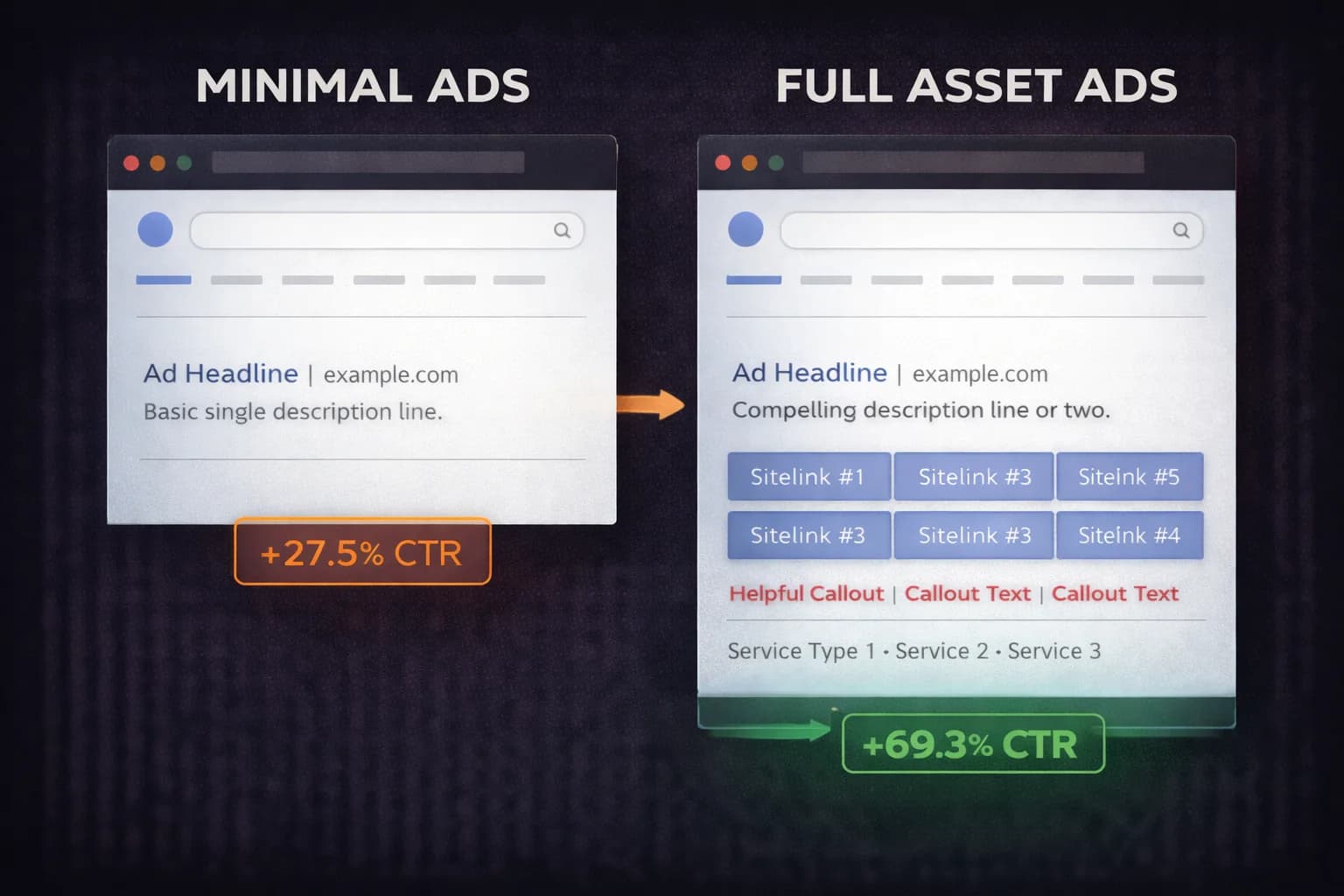
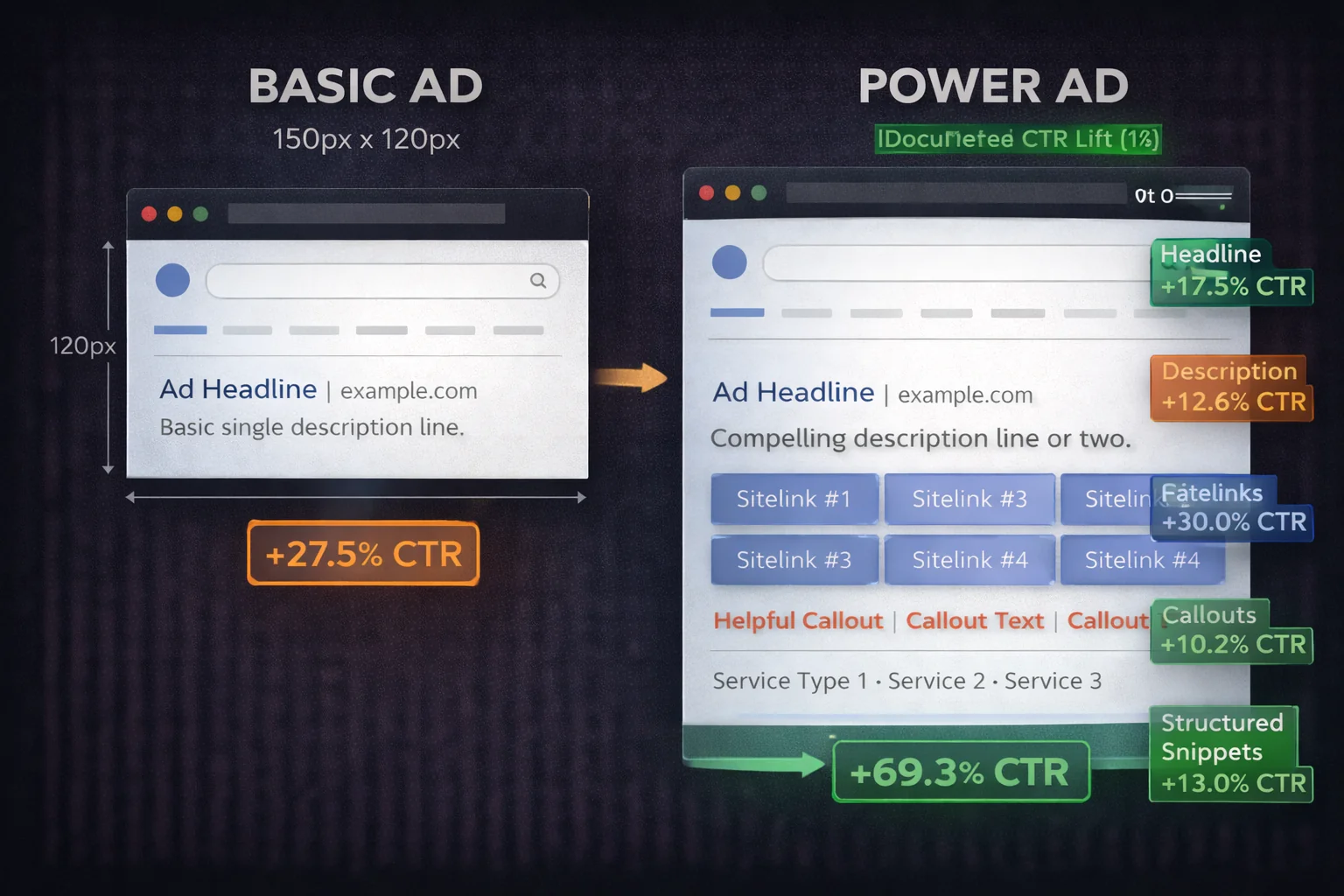
Sitelinks expand your ad to include navigation links to specific pages on your site. A well-configured sitelink set effectively gives a user five ads to respond to simultaneously: your main headline and four additional destination options. The CTR improvement from sitelinks is documented at 15 to 30% over ads without them.
The failure mode is generic sitelinks. "About Us," "Contact," "Home," and "FAQ" are not conversion-oriented destinations. They answer questions users have not asked and direct traffic to pages that do not fulfil purchase intent.
The operator's framework for sitelink strategy:
Funnel-based sitelinks target users at specific decision stages: Pricing, Book a Demo, Case Studies, Free Trial. Each link addresses a distinct objection or intent. A user ready to evaluate pricing clicks the Pricing link. A user who needs social proof clicks Case Studies. You capture each intent variant without requiring every user to navigate through your homepage.
Intent-based sitelinks mirror the specific query that triggered the ad. A user searching "buy dress online" should see sitelinks to Dresses, Skirts, Tops, New Arrivals, rather than sitelinks to About Us and the company blog. The sitelinks should be a visual extension of the user's search intent, not a generic navigation menu.
Volume-based sitelinks surface your highest-converting destinations: Bestsellers, Seasonal Collections, Current Promotions. These direct traffic to pages with proven conversion rates rather than equal distribution across your site.
Deploy 6 to 8 sitelinks per campaign. This gives Google's algorithm sufficient options to rotate and test combinations, finding which sitelinks produce the best performance for specific query types and user segments.
Callouts: Non-Clickable USP Statements
Callouts are short non-clickable text snippets that appear below your headline and description. Their function is answering trust-related questions before the click: "24/7 Support," "Free Next-Day Shipping," "No Setup Fees," "Money-Back Guarantee."
The CTR lift from callouts is documented at 8 to 15%. The mechanism is hesitation reduction. A user who is uncertain whether you offer free returns will hesitate before clicking. A callout that states "30-Day Free Returns" removes that hesitation before it occurs.
The distinction between effective and ineffective callouts is specificity. "Best Service Available" conveys nothing. "Response Within 4 Hours" is verifiable and specific. "Trusted by Thousands" is vague. "SOC 2 Type II Certified" is credentialed. Every callout should state a specific, verifiable claim that reduces a known objection in your category.
Deploy a minimum of 6 callouts per campaign to give the algorithm rotation options. Review performance quarterly and replace any callout that consistently underperforms against the account average.
Advanced Assets: Structured Snippets, Price, and Image
Beyond the core two, three additional asset types produce documented performance improvements for specific use cases.
Structured Snippets: Category Signaling
Structured snippets showcase variety or depth within a specific category using a predefined format. Examples: "Services: Audits, Optimization, Reporting" for a marketing agency, or "Brands: Nike, Adidas, New Balance" for a sports retailer.
The CTR improvement is documented at 5 to 12%. The mechanism is specificity signaling: users can see before clicking whether your offering covers the specific variant they are looking for. A user searching "marketing analytics software" who sees structured snippets listing specific integrations (Salesforce, HubSpot, GA4) can assess fit before clicking, which produces higher-quality clicks and better post-click conversion rates.
For B2B accounts, structured snippets built around service catalog items, industry specializations, or compliance certifications produce the best results. For retail, brand lists and product category lists work most effectively.
Price Assets: Pre-Qualifying for Budget Fit
Price assets display specific pricing tiers directly in the ad. A SaaS company might show Basic ($29/month), Professional ($79/month), and Enterprise (Custom). A professional services firm might show service packages with starting prices.
The CTR impact is 8 to 14%, but the more important impact is lead quality. Displaying pricing pre-qualifies users for budget fit before they click. A user who clicks after seeing your pricing has already self-selected as a prospect who finds your pricing acceptable. This improves lead quality and reduces CPA by filtering out price-sensitive users who would have bounced from your landing page after discovering the price post-click.
The objection to price assets is that showing pricing will suppress click volume from users who might have converted if they had seen the value proposition before the price. This concern is valid for complex, high-consideration products where price context matters. For most subscription, service, and retail categories, price transparency improves lead quality at a rate that more than offsets the click volume reduction.
Image Assets: Visual Rarity on a Text-Heavy SERP
Image assets display product or brand images alongside your text ad in eligible placements. On a SERP dominated by text, a visual element creates immediate pattern interruption and captures attention that pure text ads cannot.
The CTR improvement is documented at 6 to 12%. The requirements are a 1.91:1 aspect ratio and a minimum of 1200x628 pixels. Authentic product or team photography significantly outperforms stock imagery. Users have developed strong pattern recognition for stock photos and respond better to images that appear genuine and specific to your business.
Dynamic Assets: DKI, Location Insertion, and Countdown Timers
For campaigns scaling across large keyword sets, three dynamic asset types automate relevance at scale.
Dynamic Keyword Insertion (DKI) replaces a placeholder in your headline with the search term that triggered the ad. A user searching "enterprise security software" sees "Buy Enterprise Security Software" as the headline. A user searching "cloud security platform" sees "Buy Cloud Security Platform." The specificity of headline match to query improves both CTR and Ad Relevance, two of the three Quality Score components.
The risk of DKI is mechanical. Awkward phrasing when the inserted keyword is too long or grammatically incompatible with the surrounding copy looks immediately artificial. Set a default fallback headline for cases where the keyword exceeds character limits or does not fit naturally.
Location Insertion inserts the user's geographic location into the headline: "Security Services in Chicago," "Security Services in Austin." This personalizes the ad to local context without requiring separate campaigns for each geography. For service businesses with wide geographic coverage, location insertion maintains relevance across regions without the operational overhead of city-specific campaigns.
Countdown Timers display a live countdown to an event, offer expiration, or deadline. "Offer ends in 2 days 14 hours" creates urgency that static copy cannot replicate. The documented improvement over generic deadline language is 20 to 50% CTR lift for time-sensitive offers. Use countdown timers only when the deadline is genuine. Artificial urgency detected by users erodes trust and produces poor post-click conversion rates.
Why Assets Fail to Display: The Audit Checklist
Even correctly configured assets do not always display. Understanding the suppression mechanisms helps diagnose underperformance.
Ad Rank suppression. If your baseline Ad Rank is insufficient, Google prioritizes showing the basic ad over showing assets. The platform will not show sitelinks if doing so would require a position the account cannot win. The fix is improving Quality Score or increasing bids until Ad Rank is sufficient for asset display in your target positions.
Budget constraints. Tight daily budgets cause the system to prioritize basic ad delivery over full asset display. If your campaign is consistently hitting its daily budget before delivering full impression share, asset display will be reduced. The asset configuration is correct but the budget is insufficient to power it fully.
Relevance mismatch. Generic assets applied to high-intent campaigns are suppressed when the algorithm determines they do not improve the ad's relevance to the query. A sitelink to "Company History" on a campaign targeting "emergency HVAC repair" will not display because it does not serve the user's immediate intent. Asset relevance to the campaign's keyword theme determines whether Google includes them in the served ad.
Policy violations. Inappropriate punctuation, prohibited claims, or disallowed formatting will cause silent asset disapproval without visible notification in the campaign interface. Review asset status in the Assets section of Google Ads to identify any disapproved assets and the reason for disapproval.
Insufficient data. New assets do not immediately display at full frequency. Google needs impression volume to evaluate asset performance before including them in regular rotation. Newly added assets may take 2 to 4 weeks to reach full display frequency.
Message Match: The Strategic Philosophy
The performance data from well-implemented asset programs consistently validates a single principle: clear beats clever in search advertising.
A case study from an automotive shop management software company achieved a 305% CTR increase by replacing generic software category language with pain-specific language that addressed exactly what automotive shop owners search for. The change was not structural. It was specificity of language.
The same principle governs asset strategy. Every sitelink, callout, and structured snippet should be written to address the specific intent behind the queries that trigger the campaign. Generic language that works for no query specifically will be outperformed by specific language that perfectly addresses one intent segment.
The Intent Alignment Rule for assets: every asset must shorten the path to conversion. If a user searches "buy dress online," sitelinks to "Dresses," "New Arrivals," and "Top Sellers" shorten the path. Sitelinks to "Our Story" and "Sustainability Commitment" lengthen it. Each asset should reduce friction between the query and the conversion action, not add navigational options that require the user to work harder.
Frequently Asked Questions
What is the difference between Google Ads extensions and assets? Google Ads extensions were rebranded as assets in 2022. The terms are interchangeable in common usage. Assets include sitelinks, callouts, structured snippets, price assets, image assets, promotion assets, call assets, location assets, and lead form assets. The rebranding reflects Google's positioning of these elements as performance tools that feed into Ad Rank calculations rather than optional formatting additions.
How do Google Ads assets affect Ad Rank and CPC? Assets are an explicit component of the Ad Rank formula through "Expected Impact of Ad Assets." Higher CTR from well-configured assets improves the Expected CTR component of Quality Score. Higher Quality Score produces higher Ad Rank, which allows you to win better positions at lower bids. The CPC difference between Quality Score 5 and Quality Score 8 is approximately 17% on the same keyword. Assets are one of the most accessible levers for improving Quality Score because they directly influence CTR.
How many sitelinks should I use in a Google Ads campaign? Deploy 6 to 8 sitelinks per campaign. This gives Google's algorithm sufficient options to rotate and test combinations to find which sitelinks produce the best performance for specific query types and audience segments. Fewer than 4 sitelinks limits the algorithm's optimization options. More than 8 can dilute performance data across too many combinations to reach statistical significance on individual sitelinks quickly.
Why are my Google Ads assets not showing? The four most common causes are: insufficient Ad Rank to trigger asset display (improve Quality Score or increase bids), budget constraints that prevent full asset delivery, relevance mismatch between assets and campaign keyword themes (generic assets on high-intent campaigns are suppressed), and silent policy violations that cause asset disapproval without notification. Check Asset status in Google Ads for disapproval reasons and review your campaign's impression share to diagnose budget-related suppression.
What CTR improvement can I expect from Google Ads assets? Documented CTR improvements by asset type: Sitelinks produce 15 to 30% CTR improvement, Callouts produce 8 to 15%, Structured Snippets 5 to 12%, Price Assets 8 to 14%, Image Assets 6 to 12%, and Dynamic Keyword Insertion with Countdown Timers can produce 20 to 50% improvement over generic headlines for time-sensitive campaigns. These ranges reflect properly configured, intent-aligned assets. Generic or poorly matched assets produce substantially lower improvements and may be suppressed by Google's relevance evaluation.
Should I use price assets if I am worried about suppressing click volume? Price assets reduce click volume from users who are not budget-qualified for your offer. They increase click quality among users who are. For most subscription, service, and retail categories, the improvement in lead quality and the resulting reduction in CPA more than offset the click volume reduction. The exception is complex, high-consideration products where price context requires explanation before the user can fairly evaluate the number. For those categories, test price assets against a control group and measure lead quality and conversion rate, not just CTR.
Sources
- Google Ads Help — About Assets
- Google Ads Help — About Sitelink Assets
- Search Engine Land — Google Search Ads in 2026 Require a Different Kind of Audit
- WordStream — How to Write Google Ads Like a Pro in 2026
- WordStream — Google Ads Benchmarks 2025: Competitive Data and Insights by Industry
- Grow My Ads — The Ultimate Guide to Google Ads Assets in 2025
- Wonderful — Why Search Ad Extensions Don't Appear
- KlientBoost — Google Ads Optimization Checklist: 14 Tips for Better ROI